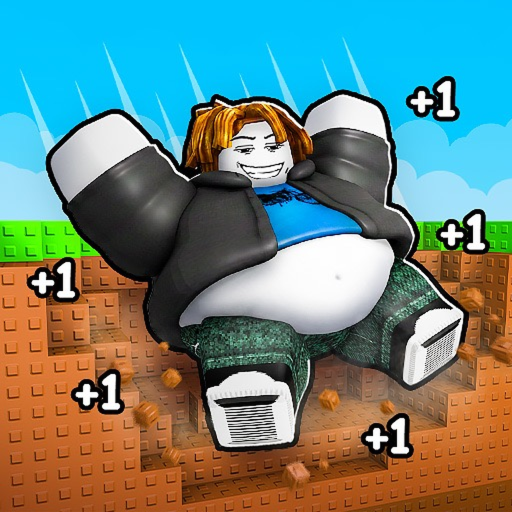
1FatPerClick
Stuck-state guide

+1 Fat Per Click Troubleshooting

Check the exact game identity, current server display, active effects, and changed progression state before assuming the game or calculator is wrong.

Checked July 21, 2026Exact Roblox experience
Quick answer

What to do now

Start by confirming place ID 128329680321338, then re-read the current prompt and measure the displayed value again. A pet, buff, upgrade, new area, server change, rounding rule, or game update can make an older rate or requirement stop matching.

Walkthrough

Follow this visible-check route

Use what your current server shows. The guide does not assume hidden rates, names, costs, or thresholds.

  1. Step 1

    Confirm the exact experience

    Match place ID 128329680321338 and creator group +1 Weight. Similarly named Roblox games can use different code lists, requirements, and mechanics.

  2. Step 2

    Read the current display

    Check your fat total, the obstacle prompt, visible win action, and any pet, buff, or upgrade indicator. Use current UI text rather than an old screenshot.

  3. Step 3

    Measure again

    Record the value before and after one click or one visible action. Change one effect at a time so you can see what altered the result.

  4. Step 4

    Refresh the session

    If the UI appears stale, rejoin a server and repeat the check. After an update, old inputs may no longer describe the current game state.

Details not published

Do not guess these values

  • Current rates and rounding behavior.
  • Exact obstacle requirements and area order.
  • Win formulas, pet values, upgrade effects, and stacking rules.
Troubleshooting

Common mistakes

Using another game's guide

A similar title is not enough; confirm the place ID.

Counting one boost twice

Do not add a multiplier when your observed rate already includes it.

Treating a single result as permanent

Bonuses, updates, and progression state can change a result. Recheck before a long plan.

FAQ

Questions players ask

Why is fat per click different?

A visible pet, buff, upgrade, rounding rule, area change, server, or update may have changed the effective value.

Why will an obstacle not open?

Re-read the current requirement and intended interaction, then compare it with the displayed fat total.

Why can I not find a code button?

A redeem system has not been confirmed for this exact experience. Do not use another game's redemption steps.

Why does the calculator differ from the game?

The calculator uses only your inputs. Measure the effective rate again and avoid applying the same boost twice.

Fat calculator

Update the observed inputs.

Obstacle guide

Follow the visible requirement.

Exact-game identity

Check the official Roblox link.