Sponsored link
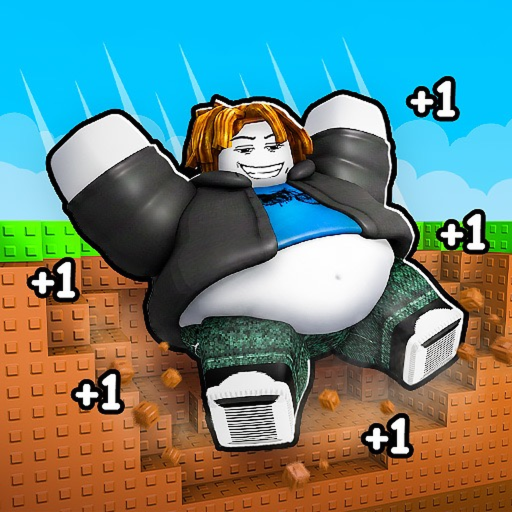
1FatPerClick game icon1FatPerClick
Visible-choice helper

+1 Fat Per Click Progression Path Assistant

Choose what is happening in your current server. The assistant responds with a conservative next check and a risk reminder without claiming a universal priority.

This +1 Fat Per Click progression path assistant chooses a safe next check for obstacles, areas, wins, upgrades, buffs, and pets from what your current server shows, and a click re-runs it any time.

What is happening now?

Safe next step

Read the obstacle first

Record the requirement or feedback shown now, compare it with current fat, and calculate only the visible gap.

Risk check: do not spend or commit to a long loop until the current display confirms the effect and the next requirement.

Open the matching guide
Doctrine

The five situations, written out

The assistant compresses these rules; this is the full version, built on what the official description confirms and what your session can measure.

Doctrine 1: read the obstacle before touching the wallet

An obstacle is the game's own checkpoint: it tells you the exact fat it demands and therefore the exact gap you must close. Record the displayed requirement, enter current fat and target into the click goal planner, and only then decide whether to click, buy, or wait for an event window. Players who buy upgrades first routinely overpay for rate they did not need to clear this particular wall.

Doctrine 2: a new area resets your assumptions, not your progress

The first minutes after an unlock are an inspection pass, not a grinding pass. Walk the area once and read everything: the new click display, any win or rebirth prompt, the upgrade and buff menus, pet access. The area is where the game's next multipliers hide, and the September 2026 [2x] event coverage shows how much rates can swing — measure the new baseline before repeating your old route.

Doctrine 3: measure one win action end to end

Wins are a confirmed progression resource, but their value is whatever your server currently pays. Record the balance before, complete the visible win action once, record the balance after, and note what the attempt cost you (fat, position, time). One measured cycle beats any copied rate — especially since at least five similarly named games have win systems with completely different payouts.

Doctrine 4: compare boosts by cost, duration, and permanence

A temporary buff and a permanent upgrade can show the same headline increase while solving different problems. Before spending, read the displayed effect, its duration, whether it survives a server change, and how close you are to the next area — an expensive buy right before an unlock risks being replaced for free. Then test one change at a time: measure the rate before and after so the result is attributable.

Doctrine 5: a changed rate invalidates the old plan

Your fat-per-click display is a live measurement of everything currently active: pets, buffs, upgrades, event windows. When it moves — after a purchase, an equip, a server hop, or an update like the September 24, 2026 one — stop running the old click count. Re-enter the new rate in the calculator and re-plan; a 30% rate change cuts or extends every remaining target by 30%.

Checklist

The pre-commitment check

Run down this list before any long grind or purchase — it is the difference between a plan and a hope.

Worked examples

The doctrine in play

Blocked by a wall

The gate wants 2,620,000 fat; you have 120,000 at +500 per click. That is 5,000 clicks — about 3–4 casual sessions. Instead of grinding blind, check the upgrade menu: if 50,000 fat of purchases lifts the rate to 750, the same wall now costs 3,334 clicks. Buying first was the faster route, and only the measurement showed it.

Fresh in a new area

You smashed through and the area opens up. Hold off on farming: walk it once, read the new click display and every prompt. If a rebirth or win action appears, measure one cycle — balance before, reward after, cost paid — before deciding it beats plain clicking in the new ground.

A [2x] window starts

Trackers indexed a [2x] +1 Fat Per Click event period in September 2026. When the title tag or in-game banner shows a double window, your effective rate may double without your pet loadout changing — re-measure, re-plan the same targets at the new rate, and schedule long sessions inside the window, not after it.
FAQ

Assistant questions

What does the progression assistant actually decide?

It maps your current situation — blocked by an obstacle, fresh in an area, facing a win prompt, eyeing a boost, or staring at a changed rate — onto the one safe next action for that state, drawn from the same doctrine written out below. It deliberately recommends checks instead of spendings: +1 Fat Per Click publishes no stat table, so a decision helper that claimed universal upgrade orders would be inventing facts.

Is there a universal best order to buy upgrades?

No dependable one exists for this exact game — there is no community wiki or tracker documenting upgrade prices or effects, and the developer rebalances without notes. The honest order is bottleneck-first: buy whatever shortens your current measured gap the most per unit of currency, and re-compare after every purchase because the bottleneck moves.

How do rebirths and money fit the route?

Community coverage of the game (the Clout Brothers full guide) treats money, wins, and rebirths as core systems alongside clicking. Treat any rebirth-style reset the way the doctrine treats boosts: read what it permanently grants, what it wipes, and measure one cycle before committing — the same one-run measurement discipline as everything else on this site.

Why does the assistant keep saying 'measure' instead of giving numbers?

Because measured numbers are the only ones that are always true for your account. The site's calculators turn your measurements into click counts and session plans, so the pair — measure, then compute — replaces the copied rate tables that simply do not exist for this game yet.

What should I redo after a game update?

Re-read the obstacle display, re-measure your fat-per-click, and check whether a new prompt, area, or pet screen appeared. The update tracker lists this recheck drill with dates, and the current last-updated timestamp (September 24, 2026) is the trigger to run it again after the next patch.

Beginner loop

The first-session route in order.

Pet boost status

What pets confirm and how to compare them.

Checked references

Every claim on this page, sourced and dated.

Fat calculator

Re-plan with your re-measured rate.

Guide hub

Pick the guide for the current problem.

Fat clicker hub

Codes status and every tool.